Business · 10 min read
Keeping business records organized throughout the year
Create a workable recordkeeping routine that links documents to transactions, resolves missing information and prepares records for secure retrieval and tax review.
General U.S. business education, prepared with AI assistance and independent AI factual review. Not individualized tax, accounting or legal advice. Confirm recordkeeping, retention and preservation requirements for your business with an appropriately qualified professional.
Information may contain errors, omissions or outdated guidance. This article is general education, not individual medical or other professional advice. Verify important information before acting and consult an appropriately qualified professional. Never disregard medical advice, delay care or change treatment because of this article. See our accuracy disclaimer and terms.
Build a system you can use on a busy day
A receipt is in a coat pocket, an invoice is attached to an email, a payment appears in a bank account and the explanation is in someone’s memory. Each item may be useful, but none of them is a recordkeeping system on its own. The practical task is to make the pieces findable and connect them to the right transaction.
You do not have to organize the entire history of the business before improving the next week. Start with a clear place for incoming documents, a regular time to review them and a way to mark unresolved questions. Keep older cleanup work on a separate list so it does not stop current records from accumulating in an orderly way.
The workflow here is a suggested organizational approach for a small U.S. business, not an accounting method, tax opinion or universal retention policy. Adapt it with your bookkeeper or tax professional. The aim is to make the business’s real activity easier to explain, without inventing missing evidence or treating a tidy folder as proof of a tax deduction.
Distinguish the books from the documents
The IRS allows a recordkeeping system suited to the business that clearly shows income and expenses. Supporting documents, such as invoices, receipts and payment records, provide information for entries in the books. Electronic records are subject to the same basic recordkeeping requirements as paper records.
Think of the relationship as two connected layers. One layer summarizes transactions; the other preserves the supporting material. A folder full of receipts without an organized transaction record is difficult to review. A spreadsheet full of numbers without retrievable support creates a different problem.
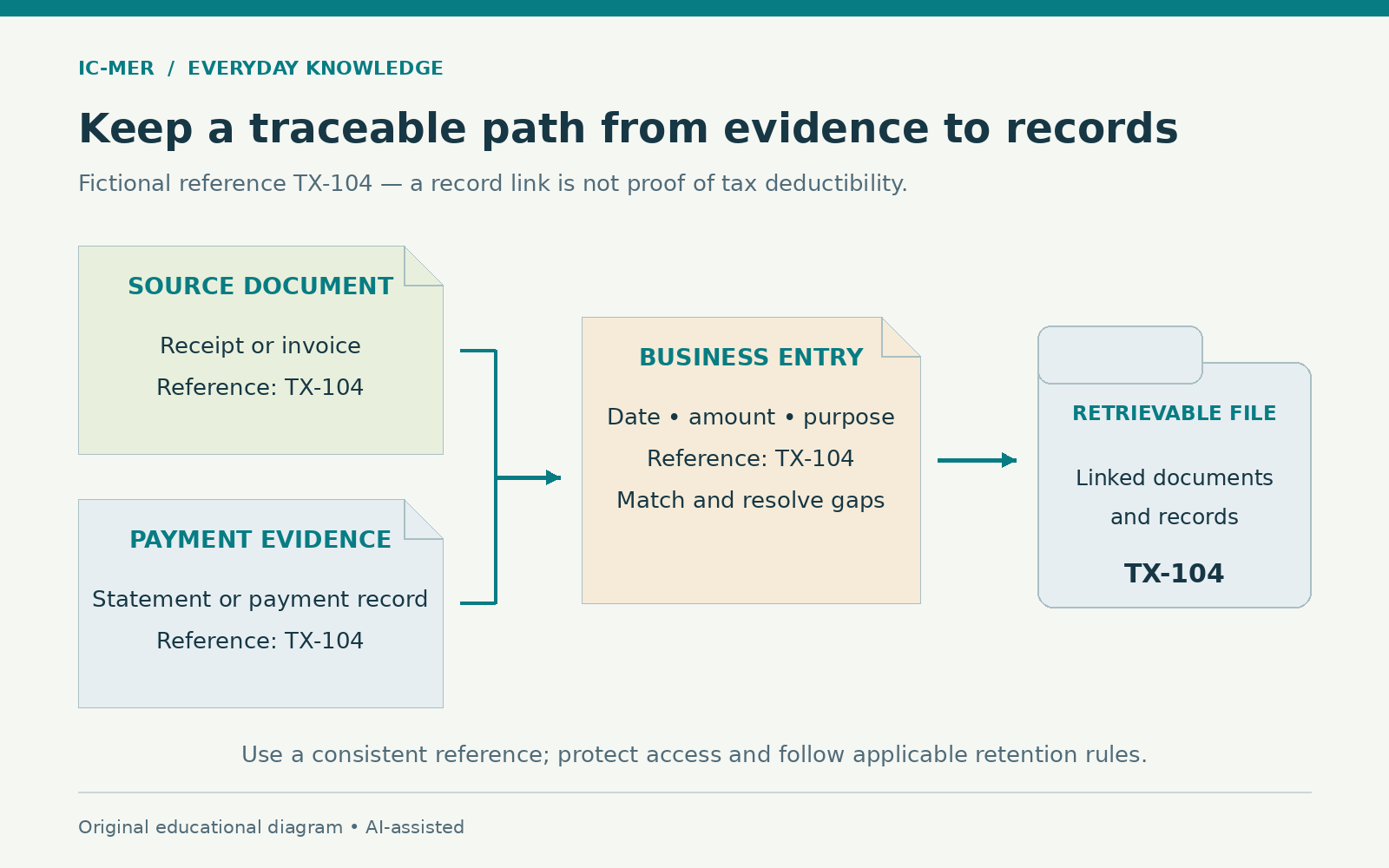
Agree on a reference that connects the layers. It could be a transaction identifier from your accounting software or a simple consistent reference in a small manual system. Avoid creating a second unofficial numbering system when the main system already provides one that works. The reference should help the next person retrieve the same evidence without depending on your memory.
Choose an intake point with a clear boundary
Select where new material arrives before it is reviewed. A physical tray can hold paper awaiting capture; a controlled digital folder can hold electronic documents. If staff submit receipts through a business-approved application, explain whether that application is the official intake point or merely a delivery route.
Make the boundary visible. An item in intake means received but not yet checked, classified or entered. An item in the final record location means the agreed review steps have been completed. If everything is mixed together, nobody can tell whether a file was handled or merely moved.
Try the arrangement with a single week of ordinary material. Include a purchase receipt, a customer invoice and a payment record. Ask the person who will do the routine work to use it. If they need to guess which location to choose, revise the instructions now. A short rule that people follow is more useful than a complex folder tree that only its creator understands.
Capture documents while the details are available
IRS guidance notes that a combination of documents may be needed to substantiate an expense. A supporting record may need to show the payee, date, amount, description and evidence of payment. A bank entry by itself may not explain what was purchased or its business purpose.
When capturing a paper document, check that it is readable and complete. Open the saved file rather than assuming the photograph or scan worked. Check the edges, totals and any additional page. Keep the original when required by the applicable retention arrangement; a scanned copy is not an automatic permission to discard it.
Add the business explanation while someone still remembers it. If a receipt simply says supplies, record what was purchased and the relevant business context through your approved process. Do not rewrite the receipt or manufacture a missing description. Keep an added note distinct from the original evidence so a reviewer can see which information came from which source.
Sources: [2]
Use names that help retrieval
A proposed filename might combine a date, a short supplier name and a transaction reference. For example, a fictional file named 2026-10-08_Example-Supplier_TX-104.pdf is easier to connect with a matching entry than scan-final-new2.pdf. This is an organizational example, not an IRS naming requirement.
Agree on one date convention and say what the date means. The invoice date, payment date and upload date may differ. Do not change the document’s factual dates to make the folder sequence look neat. Where the system already indexes several dates, use that feature instead of forcing every detail into a long filename.
Avoid placing sensitive personal information in filenames that may appear in notifications or search results. A reference can link to a controlled record without exposing the entire transaction in the title. Keep names short enough that staff can recognize them, and test whether your bookkeeper can retrieve a sample without asking the original uploader for help.
Connect the pieces without creating duplicate transactions
In a fictional example, TX-104 could link an invoice, a receipt or payment confirmation, and the related entry. Those files describe different parts of one event; saving each document does not mean entering the expense multiple times. The reviewer needs to understand their relationship.
For another arithmetic-only illustration, a payment processor might report a customer payment of $500, a $15 processing fee and a $485 deposit. The subtraction is $500 minus $15 equals $485. These numbers illustrate why an explanation may be needed between a customer payment and a bank deposit; they do not prescribe the accounting or tax treatment of an actual transaction.
Ask the bookkeeper how to represent the components under the business’s accounting arrangements. Keep the processor statement or other relevant support with the record. If the explanation is missing, mark the item for review rather than forcing it into a category merely to make the bank balance appear to match.
Give unresolved items a place to wait
An exception list can be simple: reference, question, person responsible, date requested and current status. Examples include a missing invoice, an unfamiliar bank charge, an apparent duplicate or an uncertain business purpose. The list is a queue for investigation, not a collection of assumptions.
Write a specific question. “What was this purchase for, and where is the supplier receipt?” is clearer than “fix expenses.” Send the question through an approved internal channel that shares only the information needed. Record the answer and preserve the document that resolves it.
Keep unresolved items visible at the next review. If an issue cannot be resolved before a reporting deadline, raise it with the appropriate professional rather than silently deleting it or supplying an invented answer. A good recordkeeping routine makes uncertainty visible early enough for someone to decide how to handle it.
Set a recurring review that produces an outcome
Choose a review frequency that matches the volume of work. A quiet business may have different needs from a busy shop. Whatever the interval, give the review a defined result: incoming items captured, entries connected to support, differences investigated and remaining questions assigned.
Compare the relevant statements with the records under your bookkeeper’s process. Identify timing differences, duplicates, omissions and unexplained amounts. Do not change an original amount simply because a comparison is inconvenient. A correction should describe what was wrong and what evidence supports the revised entry.
Keep a short review note with the period covered, who reviewed it and what remains outstanding. If the normal reviewer is absent, another authorized person should be able to see the last completed period. The note does not have to be elaborate, but it should distinguish work actually checked from work still waiting.
Treat specialized records as their own workstream
Payroll and business property can require records beyond everyday invoices. IRS Topic 305 says employment tax records must be retained for at least four years after the tax becomes due or is paid, whichever is later. Property records can be needed to establish basis and support later calculations when property is disposed of.
Ask the responsible professional which records your business needs for employees, equipment, vehicles, inventory or other relevant activities. Do not assume that the general expenses folder covers each category. A payroll provider’s dashboard, for example, should prompt questions about access, exports and continuity if the service ends.
Assign responsibility for obtaining periodic records from providers. Write down where the business-controlled copy belongs and who can access it. A contract or account relationship can change, so it is useful to know what is retrievable now rather than discovering a gap when an adviser requests an older record.
Set retention by record type, not a blanket countdown
The IRS describes a general three-year period for many income-tax records, with important exceptions. Its guidance lists longer periods for some situations and indefinite retention when no return was filed or a fraudulent return was filed. Property-related records generally remain relevant through the limitation period for the year of disposal. Other needs, including insurance or creditor requirements, can extend retention beyond tax requirements.
Therefore, do not turn “three years” into an automatic deletion rule for every business file. Build a retention list with the record type, applicable purpose, starting event for the period, responsible reviewer and approved disposal method. Have the appropriate adviser resolve uncertainties, including relevant state requirements and contractual obligations.
Before disposal, check whether the record is connected with a pending dispute, investigation, audit or other preservation requirement. Pause deletion where necessary and get advice. The date a file was uploaded is not necessarily the date that starts its retention period. Keep the retention decision understandable to the person who will later carry it out.
Sources: [4]
Protect access and test retrieval
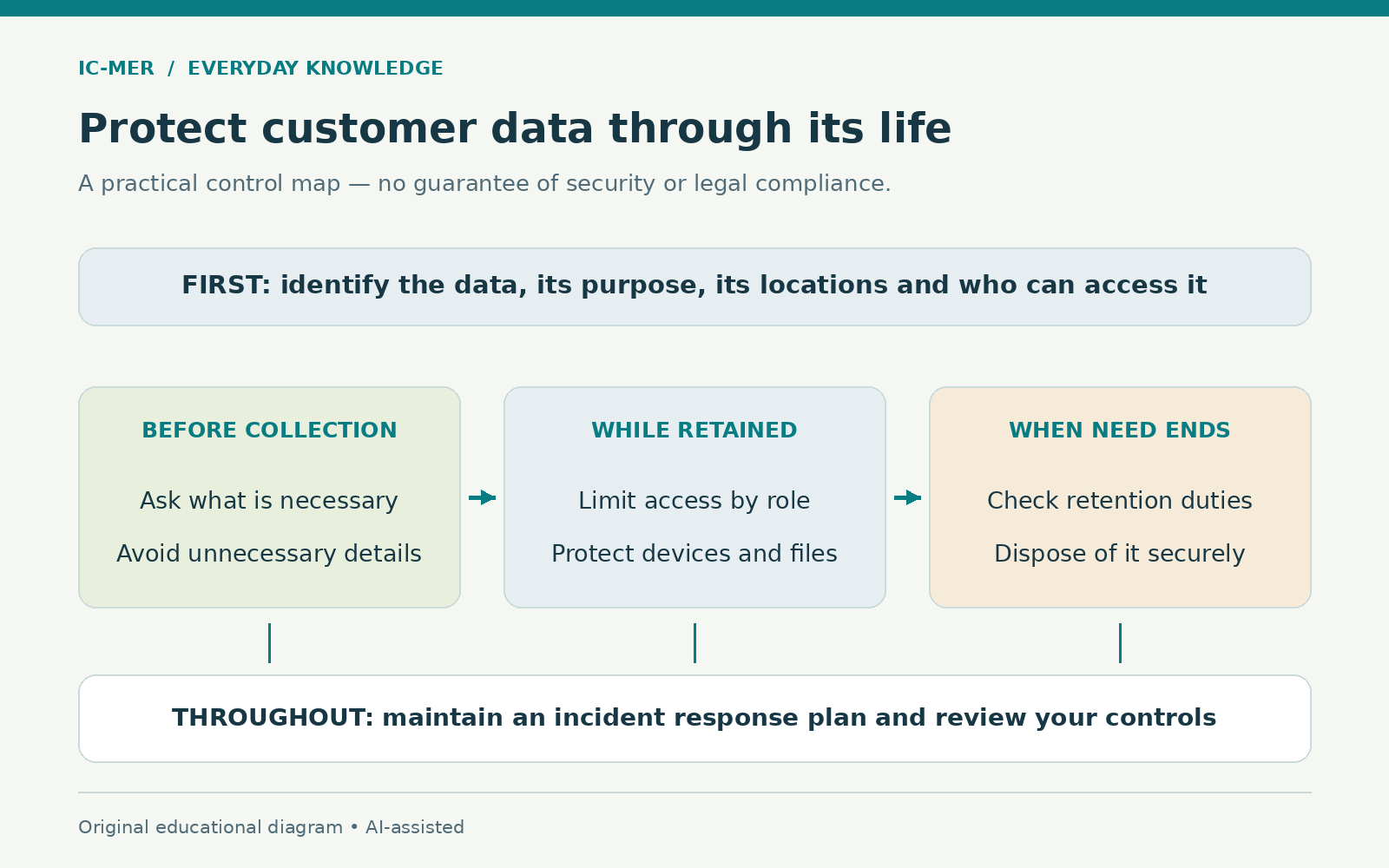
NIST recommends protecting and testing backups and using measures such as multi-factor authentication. The FTC advises keeping sensitive paper information secure and limiting access according to business need. Records should be available to authorized people without becoming an open collection for everyone.
Decide who can view records, change entries, approve corrections and delete files. A bookkeeper may need access to financial support while another employee needs only a limited operational record. Ask a qualified provider to help configure the system if those distinctions are difficult to implement.
Test retrieval with a harmless sample or an appropriately authorized real record. Can you find the document from its reference? Can you open every page? Does the link still work after an export? A backup check should establish actual recoverability, not just the presence of a folder named backup. Document the test and keep unresolved failures on the work list.
Prepare a handoff someone else can follow
Before a year-end or adviser handoff, prepare an index of what is included and a separate list of open questions. State the period covered and whether the material has been reviewed. Include the location of supporting documents and explain the reference system. Avoid describing an incomplete collection as final.
Use an approved secure sharing method and confirm the intended recipient and access permissions. Ask what format the adviser can use before exporting everything. An incompatible export can create unnecessary work even when all the documents are present. Keep a record of the version supplied so later changes can be identified.
After the handoff, save clarifications and approved corrections through the normal process. Do not let important explanations remain only in a private message thread. If an entry changes, preserve an understandable trail showing the reason and relevant support rather than replacing history with an unexplained new total.
Start with one complete example
Choose a recent, ordinary transaction and follow it from intake to retrieval. Capture the document, connect it to the entry, resolve the explanation and check that an authorized colleague can find the supporting material. Note where the process became confusing.
Use that small exercise to improve the instructions for the next batch. Then keep current work moving while older gaps are addressed separately. The goal is a dependable routine that produces usable records throughout the year, with enough context for another person to understand what happened and what still needs attention.
Sources & further reading
- IRS — RecordkeepingChecked 2026-10-23
- IRS — What kind of records should I keep?Checked 2026-10-23
- IRS — Topic no. 305, RecordkeepingChecked 2026-10-23
- IRS — How long should I keep records?Checked 2026-10-23
- NIST — Cybersecurity BasicsChecked 2026-10-23
- FTC — Protecting Personal Information: A Guide for BusinessChecked 2026-10-23
About this article
Prepared with AI assistance and an AI fact-checking pass against the sources listed above. No human clinical review is claimed. Evidence may change; consult appropriate qualified professionals for decisions about your circumstances.
Spotted a problem? Suggest a correction.